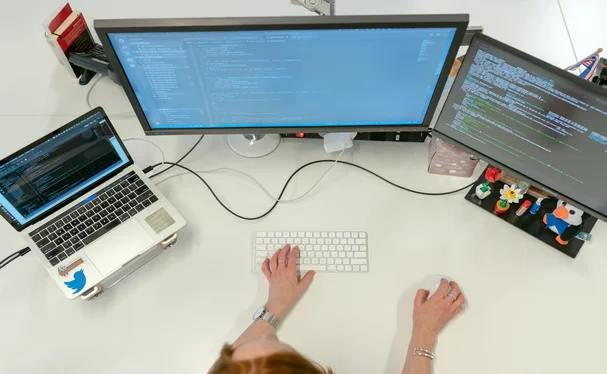
What Is Software Testing
08 May 2024Software testing can be stated as the process of verifying and validating whether a software or application is bug-free, meets the technical requirements as guided by its design and development, and meets the user requirements effectively and efficiently by handling all the exceptional and boundary cases. The process of software testing aims not only at finding faults in the existing software but also at finding measures to improve the software in terms of efficiency, accuracy, and usability. It mainly aims at measuring the specification, functionality, and performance of a software program or application.
Software testing can be divided into two steps-
- Verification: It refers to the set of tasks that ensure that the software correctly implements a specific function.
- Validation: It refers to a different set of tasks that ensure that the software that has been built is traceable to customer requirements.
Verification: “Are we building the product, right?”
Validation: “Are we building the right product?”
Why Software Testing Is Important?
Software Testing is Important because if there are any bugs or errors in the software, they can be identified early and can be solved before delivery of the software product. Properly tested software product ensures reliability, security, and high performance which further results in time-saving, cost-effectiveness, and customer satisfaction.
What Is The Need For Testing?
Testing is important because software bugs could be expensive or even dangerous. Software bugs can potentially cause monetary and human loss, and history is full of such examples.
- In April 2015, the Bloomberg terminal in London crashed due to a software glitch that affected more than 300,000 traders on financial markets. It forced the government to postpone a 3bn pound debt sale.
- Starbucks was forced to close about 60 percent of its stores in the US and Canada due to software failure in its POS system. At one point, the store served coffee for free as they were unable to process the transaction.
- China Airlines Airbus A300 crashed due to a software bug on April 26, 1994, killing 264 innocent lives.
- In April of 1999, a software bug caused the failure of a $1.2 billion military satellite launch, the costliest accident in history.
Manual V/S Automation
Software Testing can be broadly classified into two types-
- Manual Testing: Manual testing includes testing software manually, i.e., without using any automation tool or any script. In this type, the tester takes over the role of an end-user and tests the software to identify any unexpected behavior or bug. There are different stages for manual testing such as unit testing, integration testing, system testing, and user acceptance testing. Testers use test plans, test cases, or test scenarios to test software to ensure the completeness of testing. Manual testing also includes exploratory testing, as testers explore the software to identify errors in it.
- Automation Testing: Automation testing, which is also known as Test Automation, is when the tester writes scripts and uses another software to test the product. This process involves the automation of a manual process. Automation Testing is used to re-run the test scenarios quickly and repeatedly, that were performed manually in manual testing. Automation testing is also used to test the application from a load, performance, and stress point of view. It increases the test coverage, improves accuracy, and saves time and money when compared to manual testing.
Why Use Automation Testing Over Manual Testing?
More Testing In Less Time
The biggest pro of automation testing over manual testing is that it allows you to do more testing in less time. It increases productivity and expands how much you can test.
Why Would You Choose Automation Testing Over Manual Testing?
Users choose automated testing over manual testing mainly because of time. Automated testing was developed because manual testing is so time-consuming. Automated testing is much faster. Manual testing is very time-consuming. As software engineering demands have grown, automated testing has become a necessity to keep up with the pressure and go-to-market needs.
Fewer Manual Tasks
Automated testing reduces repetitive manual tasks during the testing phase.
However, automated testing does require some manual work during the implementation stage.
Testers need to manually create the baseline testing scripts.
How To Decide Which Types of Test Cases to Automate
Test scripts are written in code like Java, JavaScript, Python, or C#. Writing test scripts can be complex, so in automated testing, specialized tools help testers develop code and test scripts.
Plus, test scripts can be reused. This adds efficiency further down the line.
More Automation
Test automation tools have come a long way. They can now automate even highly advanced tests, thanks to real user simulation technology.
This includes:
- Face ID
- Location mocking
- Fingerprint testing
- Network virtualization
- Image and voice-related testing
More Test Coverage
Another pro of automated testing vs. manual testing is increased test coverage.
Automation testing can deliver better results because of its ability to increase test coverage.
Manual testing can only cover a certain number of devices and OS permutations. However, automated testing can cover many more. This leads to better error detection.
When Use Manual Testing Over Automated?
The biggest pro of manual testing over automation or continuous testing is its focused attention. When a tester is manually creating and executing tests, there is more ability to handle complex and nuanced test scenarios.
While automated testing has advanced dramatically in its ability to handle sophisticated testing, sometimes only manual testing can be used. In manual testing, there is a lower risk for false negatives. (More false negatives can create extra work for DevOps teams to validate whether a reported error is true or false.) Repetitive, high-frequency tests can easily be automated. But tests should not be automated if they occur infrequently, are high risk, or are subject to change.
Here are some instances when you would want live testing instead of automated testing:
- UX and exploratory testing.
- Complex test scenarios that are not efficient and sometimes not feasible to automate.
- Test scenarios that are only being validated once in a while.
Can Automation Testing Replace Manual Testing?
Automation testing will not replace manual testing. You need both manual and automation testing. Manual testing handles complex test cases, while automated testing handles simpler, more repetitive tests.